Select a Cost Center
After the administrator configures cost centers, the Cost Center selection screen is displayed after login. You can select the cost center for all print, copy, scan, and fax jobs. The cost center information is saved in the database, and the document output cost is assigned.
Depending on the administrator settings, either of the following is displayed:
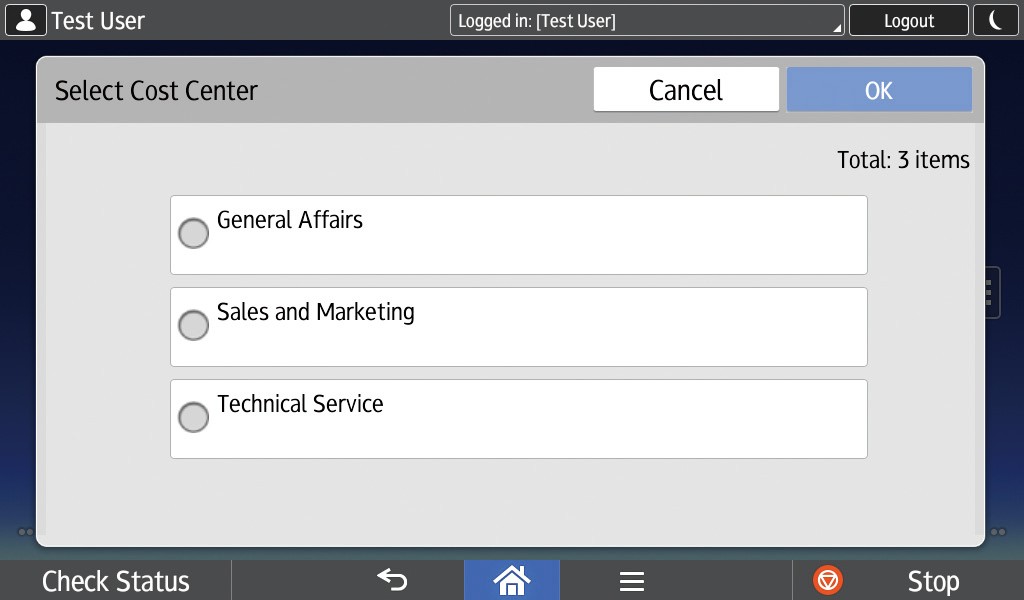
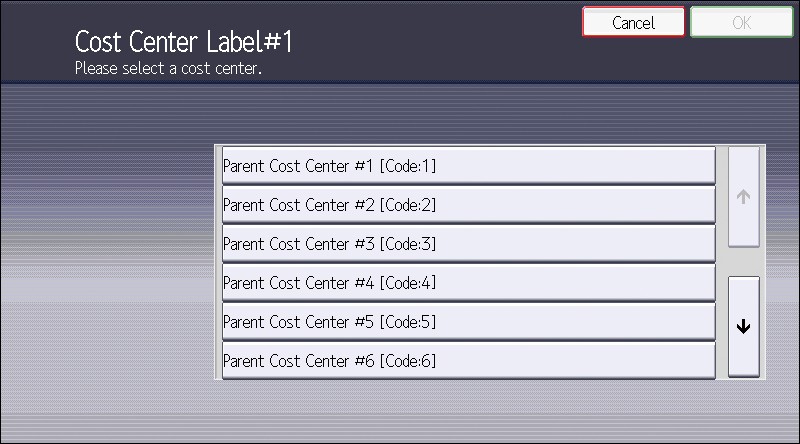
- Cost Center list screen: Select the cost center to use from the list of cost centers based on the departments to which you belong.
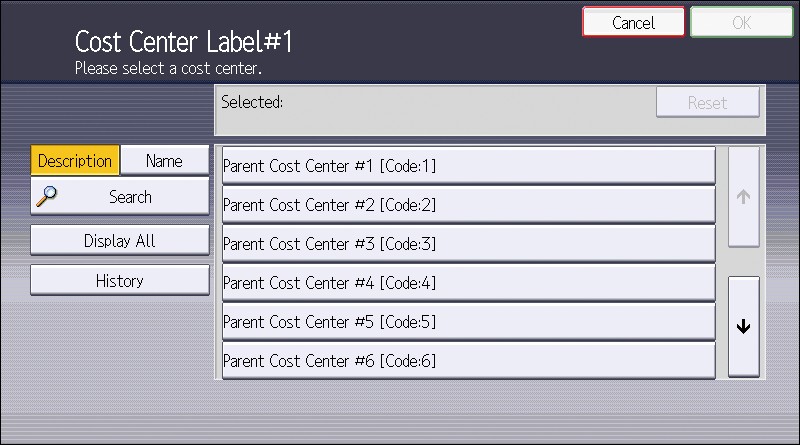
- Cost Center search screen: Search for and specify a cost center. You can also select a cost center from the list of recently used cost centers and the list of all cost centers.
Specify from the cost center list
- Log in to the device.
- Select the cost center to use from the list of cost centers.
- Press [OK].
Example of Cost Center screen (when using the Smart Operation Panel)
Example of Cost Center search screen (when using the Standard Operation Panel)
Search for and specify a cost center
- Log in to the device.
- Select the cost center to use from the list of cost centers.
- Press [OK].
Example of Cost Center screen (when using the Smart Operation Panel)

Item | Description |
|---|---|
History | Displays a list of the most recently used cost centers. |
Display All | Displays all cost centers. |
Search | Searches for cost centers using the following procedure:
|
Example of Cost Center search screen (when using the Standard Operation Panel)
Item | Description |
|---|---|
Search type | Select from [Description] and [Name] for the search type.
|
Search | Searches for a cost center. Enter part of a cost center display name in the text input field, and press [Search] to display the search results. |
Display All | Displays all cost centers. |
History | Displays a list of the most recently used cost centers. |